
For B2B marketing teams, webinars and executive interviews are high-leverage intellectual property that often suffer from low downstream distribution.
A team might spend weeks preparing a subject matter expert and record 45 minutes of substantive positioning strategy, only to leave the recording hosted on YouTube where most prospects drop off early. The operational goal is straightforward: within hours of the session wrapping, extract 3 to 5 high-signal, portrait-oriented (9:16) clips tailored for decision-makers browsing LinkedIn and mobile feeds.
While dozens of AI clipping tools exist, many were designed for gaming highlights or creator vlogs, defaulting to loud animations, kinetic emojis, and jump cuts that undermine brand trust. When marketers look for focused alternatives, Klap (klap.app) is frequently cited alongside OpusClip (opus.pro) as a primary option.
To evaluate Klap’s practical utility for B2B teams, we ran a hands-on benchmark using 15 minutes of an executive interview from Lenny’s Podcast with April Dunford. Here is how its prompt-guided engine, in-app editor, and publishing workflows hold up in practice.
The Benchmark Setup
| Benchmark Dataset | Source Footage | Test Interval | Key Evaluation Objectives |
|---|---|---|---|
| Executive Interview | Lenny's Podcast × April Dunford (Product Positioning) | 15 minutes (12:00–27:00) | Speaker tracking & semantic accuracy: Dual-speaker dynamics (Lenny questioning, April answering), prompt-guided topic boundaries, and whether the AI isolates actionable methodology or surface-level anecdotes. |
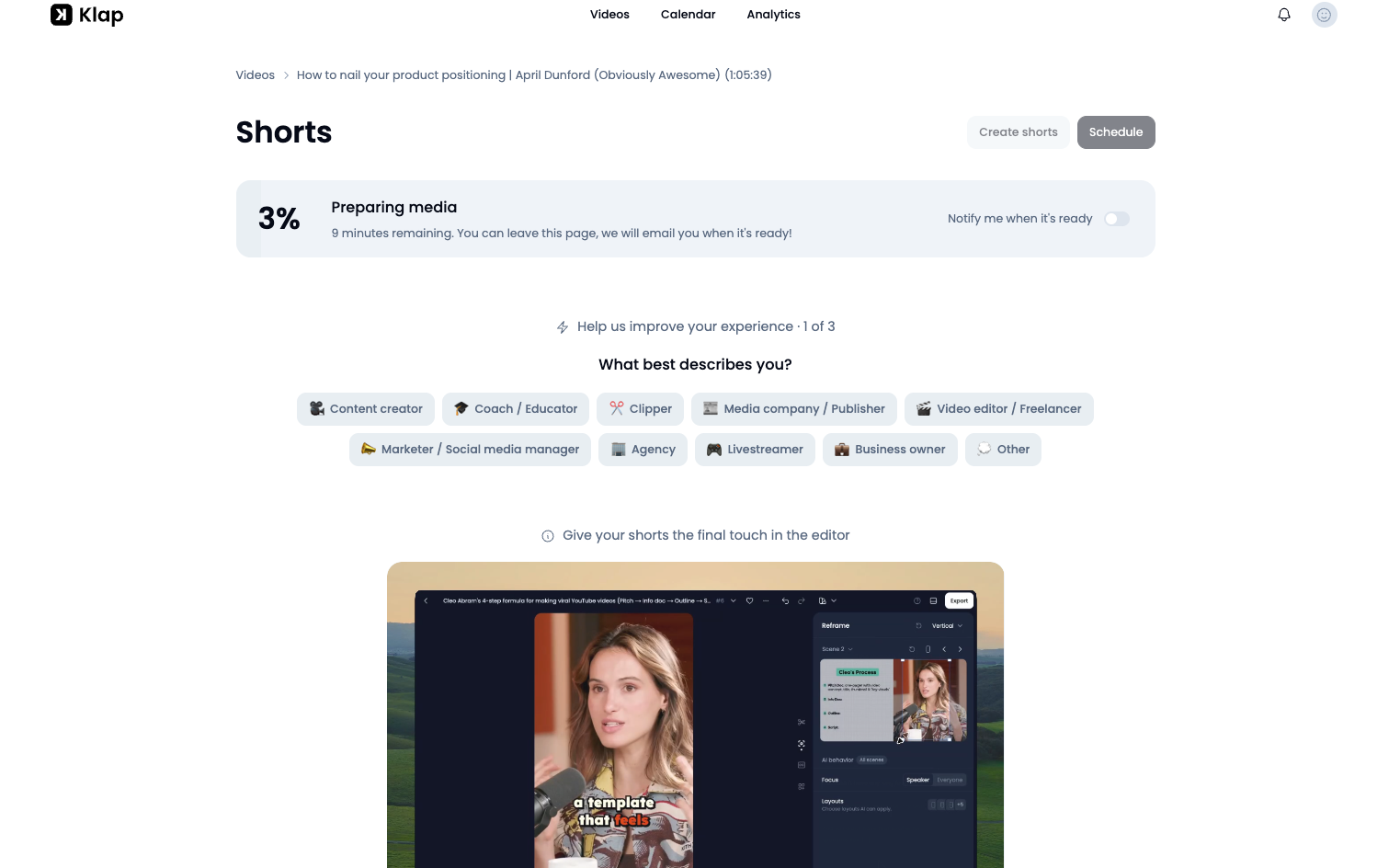
1. Topic Extraction: Prompt Guidance vs. Virality Scoring
Algorithmic clipping typically succeeds or fails on semantic precision—whether the AI understands conversational context or simply cuts around vocal spikes.
To test Klap's semantic filtering, we supplied an explicit prompt during upload:
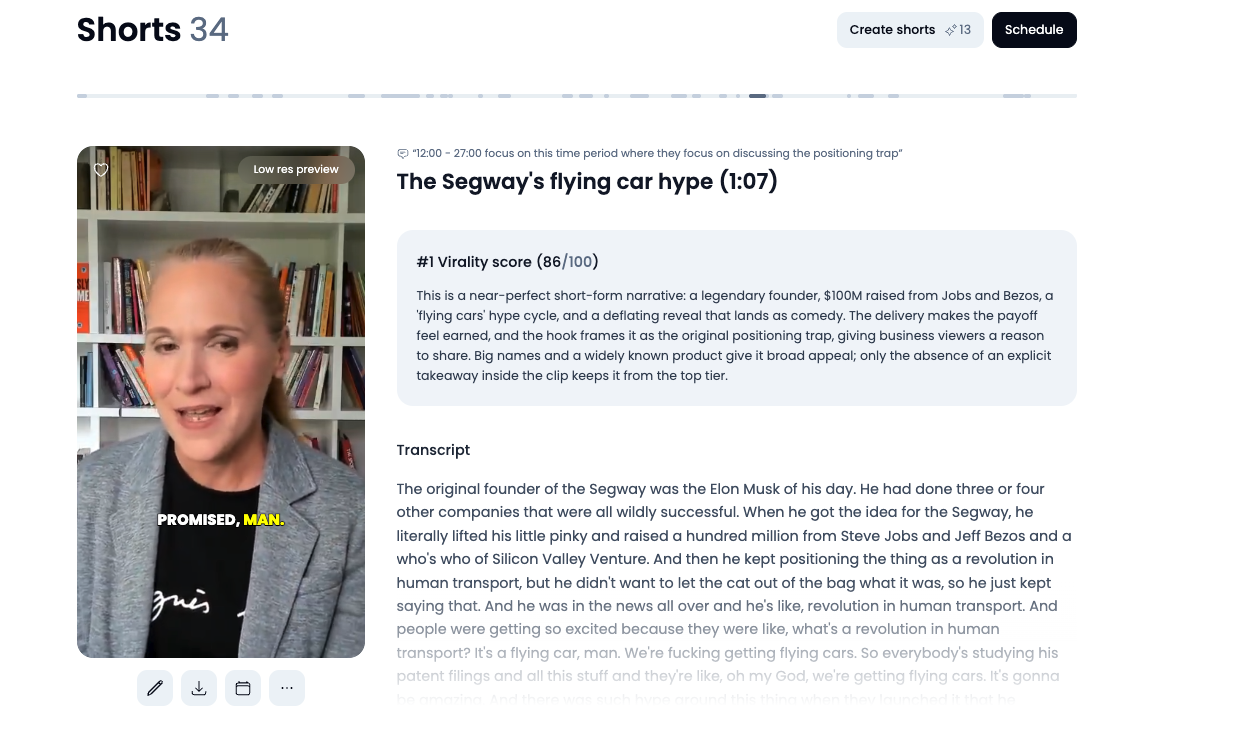
Within approximately 10 minutes, Klap processed the 15-minute section and returned 34 candidate shorts (Figure 2).
What the Algorithm Prioritizes: Entertainment vs. Methodology
Klap awarded its highest score (86/100) to a 1-minute, 7-second clip titled "The Segway's flying car hype":
Technically, the cut is well executed:
- Clean Narrative Opening: The clip does not begin mid-sentence or on an unresolved pronoun; it establishes the subject immediately.
- Stable Framing: Speaker tracking stays locked on April Dunford without jarring camera shifts.
- Accurate Transcripts: Subtitles default to a readable sans-serif typeface placed in the lower third.
However, from an editorial standpoint, the top-ranked clip prioritized high-stimulus entertainment triggers over the requested topic:
- Well-known names (Elon Musk, Steve Jobs, Jeff Bezos);
- Dramatic hooks (flying cars, a hundred million);
- A conversational setup with a comedic punchline.
Klap's internal AI evaluation noted this balance directly:
The algorithm recognized that the clip lacked prescriptive instruction, yet still ranked it first because narrative momentum drives its general scoring model.
Multi-Duration Nesting: How 34 Shorts Are Structured
A closer look at the 34 generated clips reveals Klap's underlying architecture: rather than producing 34 distinct talking points, it extracts 4 to 5 core semantic themes and packages each across tiered durations:
- Long Arc (~60–75s): Preserves the entire narrative context and supporting examples.
- Focused Cut (~40–45s): Trims opening preambles to deliver the core argument directly.
- Punchy Soundbite (~15–20s): Isolates a single high-impact claim or closing line.
This nesting behavior is evident in how Klap handled April Dunford's critique of the "Grandma Test" (the misconception that enterprise software positioning should be validated by non-buyers):
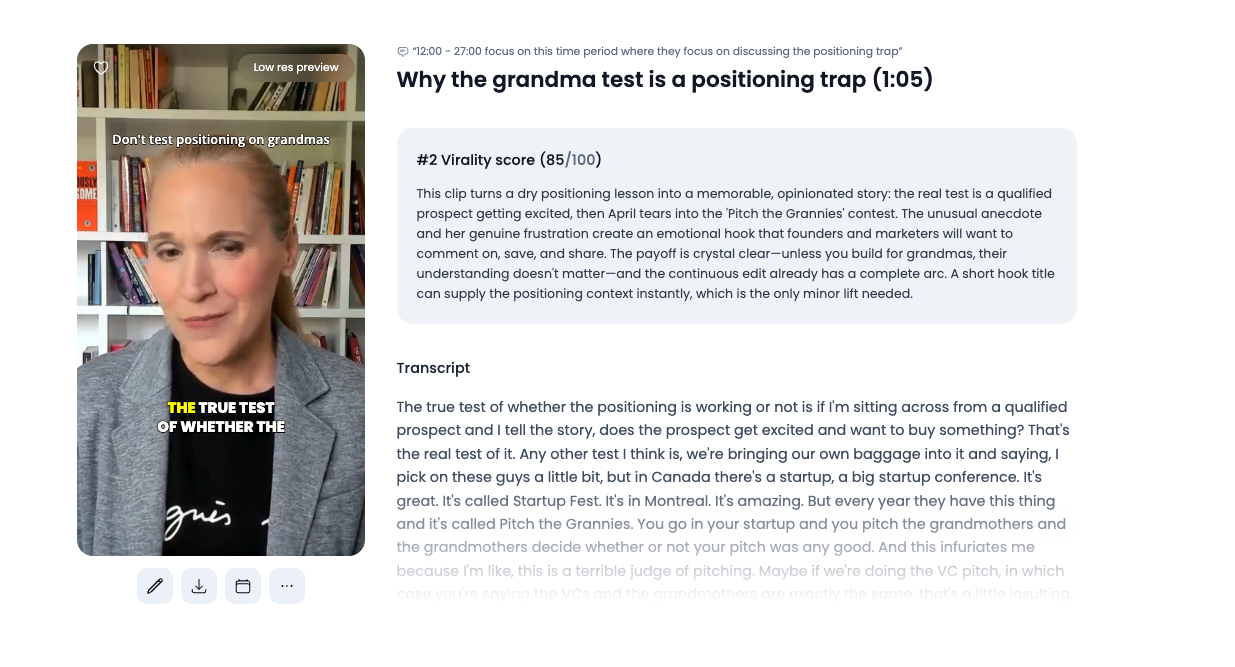
- Cut A (Clip #2 · 1:05 · Score 85/100): The complete narrative. April explains that true positioning validation comes from qualified prospects, recounts the Montreal Startup Fest "Pitch the Grannies" contest, and contrasts VC pitching with consumer pitching.
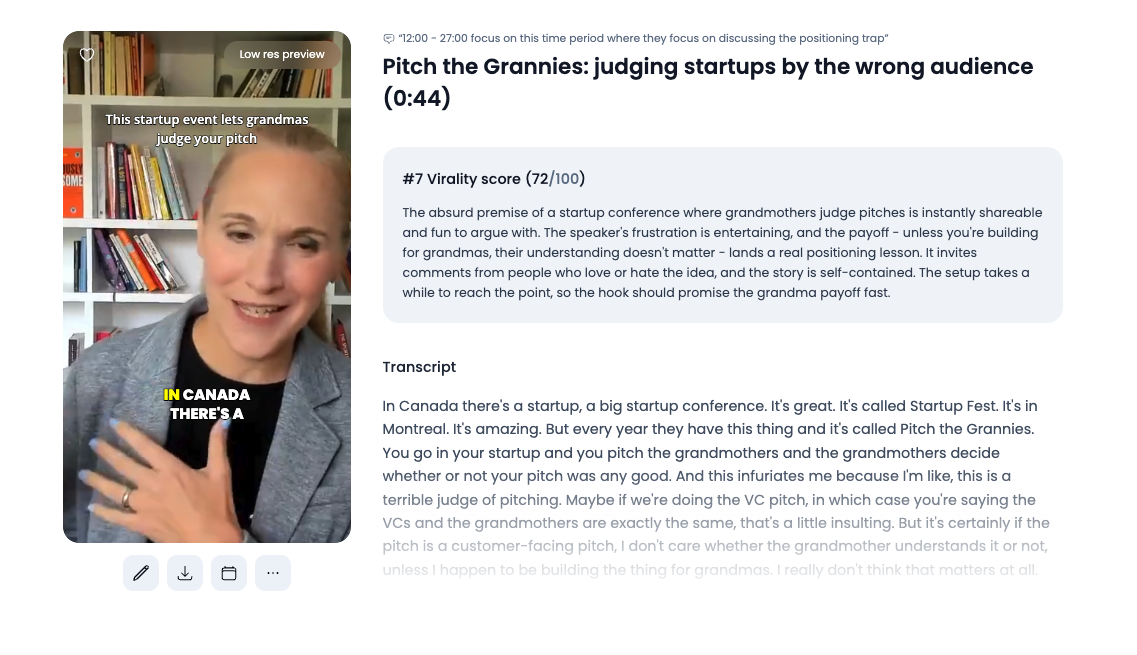
- Cut B (Clip #7 · 0:44 · Score 72/100): A tighter edit that bypasses the introductory context and jumps straight into the conference story—a suitable length for LinkedIn and X video feeds.
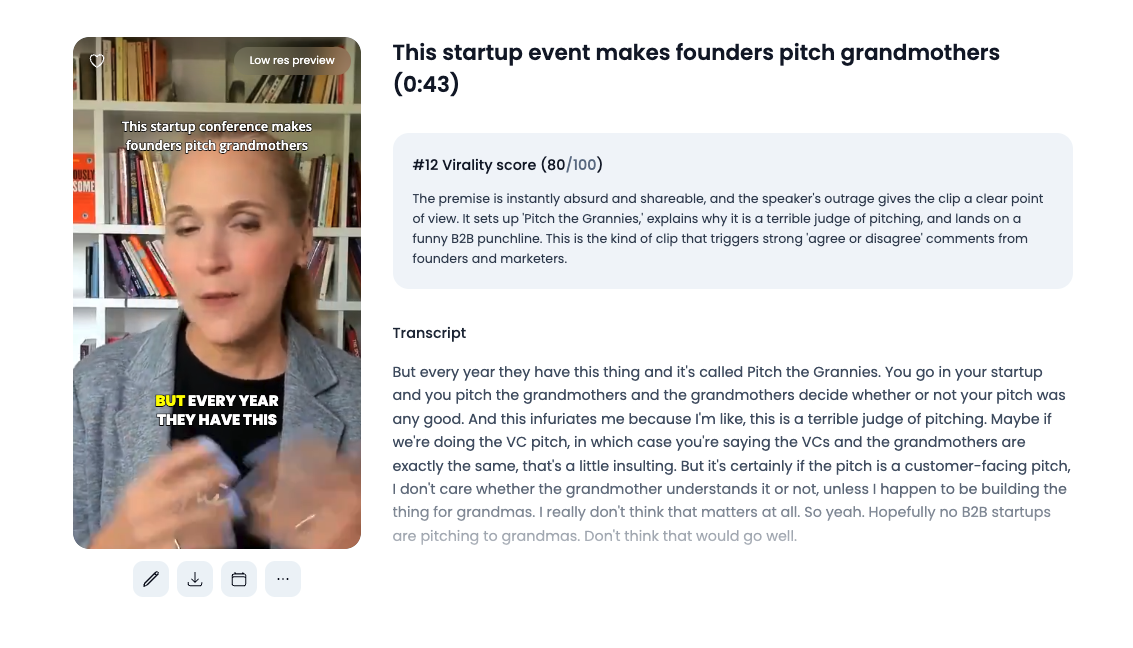
- Cut C (Clip #12 · 0:43 · Score 80/100): A focused cut opening directly on the hook (“This startup conference makes founders pitch grandmothers”) and concluding on April’s punchline: “Hopefully no B2B startups are pitching to grandmas. Don't think that would go well.”
Score Verification & Identified Topic Clusters
The table below contrasts the screenshot-verified scores across the candidate queue:
| Clip Candidate | Algorithmic Score | Subject Matter | Practical B2B Application |
|---|---|---|---|
| #1: The Segway's Flying Car Hype (1:07) | 86 / 100 (Top Rank · Verified) | Dean Kamen raising $100M from Jobs & Bezos under the promise of flying cars. | General Engagement: High narrative interest, but light on tactical positioning methodology. |
| #2: Why the Grandma Test is a Trap (1:05) | 85 / 100 (Long Arc · Verified) | Why evaluating enterprise positioning against consumer intuition distorts SaaS value propositions. | Foundational Thought Leadership: Strong strategic context for founders and product marketing leads. |
| #7: Pitch the Grannies: Wrong Audience (0:44) | 72 / 100 (Mid-Cut · Verified) | Anecdote about Startup Fest and why non-buyer feedback misleads early-stage teams. | Social Feed Distribution: Direct, self-contained pacing well-suited for LinkedIn video posts. |
| #12: Founders Pitching Grandmothers (0:43) | 80 / 100 (Punchy Cut · Verified) | Rapid hook opening into April's closing summary against pitching non-ICP audiences. | High-CTR Teaser: Crisp soundbite ideal for newsletters or promotional previews. |
2. In-App Editing: Multi-Scene Tracking & Text Trimming
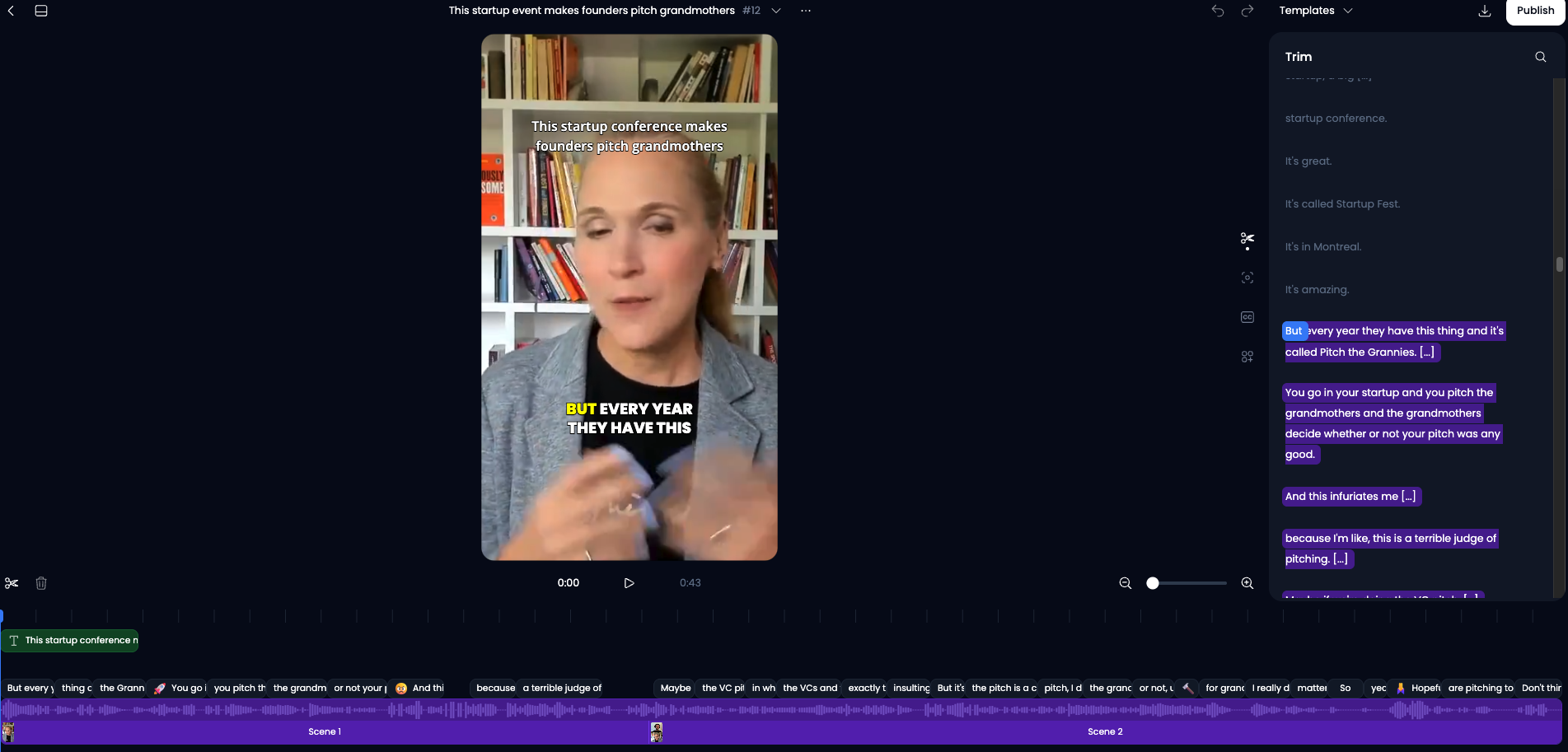
Once a candidate clip is selected, Klap provides a lightweight browser-based editor (Figure 4) designed for rapid adjustments rather than deep timeline surgery.
Multi-Scene Framing & Camera Switching
In two-person interviews, automated cropping tools can suffer from abrupt, erratic panning. Klap handles this by segmenting the timeline into distinct scenes:
- Scene 1: Camera locks on April Dunford as she articulates her argument.
- Scene 2: Camera cuts smoothly to Lenny Rachitsky as he listens or offers a follow-up remark.
The cuts reflect deliberate two-camera switching rather than continuous digital panning, resulting in natural-looking vertical framing.
Descript-Style Transcript Trimming
Rather than requiring frame-by-frame scrubbing on a mini-timeline, Klap integrates text-based video editing:
- Deleting a sentence or filler phrase in the right-hand transcript immediately removes the corresponding frames from the video.
- Klap applies subtle automated audio crossfades at cut points, preventing jarring audio pops between edits.
The 9:16 Canvas: Preset-Locked Aspect Ratio
When generating clips with Klap's default vertical preset, the project canvas is locked to 9:16 portrait orientation.
While you can adjust crops, camera tracking, and layout styles within the editor (Figure 4), the aspect ratio itself cannot be toggled across the batch post-generation. For short-form social distribution—such as LinkedIn video posts, YouTube Shorts, X, and Instagram Reels—this default works cleanly for talking-head podcasts and interviews. However, for content with wide visual elements (like detailed CRM software walkthroughs), teams should keep in mind that auto-reframing wide footage into vertical orientation will crop the margins.
3. Brand Governance & The Distribution Loop
To make clips suitable for professional B2B audiences, styling controls and distribution features are central to the workflow.
Subtitle Governance & Brand Styling
By default, Klap includes kinetic subtitle animations and automatic emoji insertions (e.g., 🚀, 🤯, 🔨 visible along the timeline in Figure 4). While common on TikTok, these elements are often undesirable for enterprise brands.
Through the Templates panel, teams can adjust the output:
- Toggle Emojis Off: Remove automated icons across the clip in one click.
- Typography & Palette: Choose clean, modern sans-serif fonts (such as Inter or Roboto) and set custom hex codes for text and active keyword highlights.
- Reusable Presets: Save styling rules as organizational presets so team members maintain visual consistency across exports.
The Lightweight Distribution Loop: Built-In Scheduling & Analytics
A notable advantage of Klap’s workflow is that it extends beyond video generation into direct social distribution:
- Integrated Scheduling: A prominent
Schedulebutton sits directly in the header and on individual clip cards, allowing teams to plan publication dates across connected social accounts without hopping into external tools like Buffer or Hootsuite. - Performance Analytics: Klap includes a dedicated analytics tab to monitor downstream engagement on scheduled clips.
For solo marketers and small teams, having trimming, captioning, scheduling, and basic analytics under a single lightweight interface reduces the operational handoffs typical of video repurposing.
4. Pricing Math & The Buyer's Decision Framework
Understanding Klap's pricing structure and trial limitations is essential before factoring it into a recurring workflow.
The Free Preview Reality
Klap offers an accessible card-free preview:
- You can paste a YouTube link, generate a full batch of 30+ clips, test prompt filtering, and test the transcript editor without entering payment details.
- However, exporting or downloading an MP4 file requires upgrading to a paid plan. There is no free watermarked export tier. The free experience serves as an interactive quality audit rather than ongoing freemium production.
Billing Models: Klap vs. OpusClip
| Operating Factor | Klap | OpusClip (opus.pro) |
|---|---|---|
| Pricing Structure | Input & Generation Caps: $29/mo for up to 10 input videos (45m each) and 100 generated clips/mo | Credit-Based Billing: $15/mo for 150 credits; $29/mo for 300 credits (~1 credit / min) |
| Trial Mode | Interactive preview sandbox (Export requires upgrade) | 60 mins/mo free pool (Watermarked export) |
| Custom Brand Fonts | Included on $29/mo Basic tier | Included on $29/mo Pro tier |
| Export Quality | HD on Basic ($29/mo · $20.30 w/ AIMKT30); 4K on Pro ($79/mo) | 1080p HD on Starter; up to 4K on Pro ($29/mo) |
| Editor Type | Descript-style text trimming with audio crossfades | Text-based and timeline-based editing |
| Workflow Scope | Generation + text trimming + direct scheduling + analytics | Generation + text/timeline editing + auto-posting (Pro adds scheduling & XML export) |
For two 45-minute webinars per month, Basic fits the published input limits (consuming 2 of 10 input video slots), provided monthly clip generation stays within its 100-clip allowance. Basic includes HD downloads; teams requiring 4K should budget for Pro ($79/mo). Because our 15-minute test clip alone yielded 34 candidate shorts, teams repurposing full-length recordings will generate dozens of candidates per session, making the 100-clip monthly allowance an active operational factor to monitor.
Summary Verdict
| Content Profile | Recommended Choice | Primary Decision Factor |
|---|---|---|
| Solo Marketers & Lean B2B Teams | Klap ($29/mo) | Looking for a fast, streamlined workflow: prompt-guided topic filtering, clean text trimming, turnkey HD exports, and an uncluttered single-tab scheduling loop. |
| Production Studios & Video Specialists | OpusClip ($29/mo) | Require XML timeline exports into Premiere Pro / DaVinci Resolve for multi-track post-production. |
| Dense Software UI / Code Demos | Retain 16:9 Landscape (Descript / Camtasia) | Complex multi-panel software interfaces lose legibility when cropped to 9:16 vertical; keep these in widescreen. |
When Klap Makes Sense:
- You want an agile, all-in-one repurposing loop: The combination of prompt filtering, text-based trimming, brand templates, and direct post-scheduling provides a lean operational pipeline for teams without dedicated video editors.
- You prioritize clean grammatical boundaries: Klap consistently identifies coherent sentence beginnings, avoiding awkward cut-offs in executive speech.
- Your primary goal is vertical short-form distribution: For teams prioritizing LinkedIn video, Shorts, and X feeds, the 9:16 preset delivers ready-to-share vertical assets without manual reframing.
When to Consider Alternatives:
- If your primary output is widescreen horizontal video: For long-form software walkthroughs or full-width desktop webinars where every interface panel must remain in view, keeping recordings in 16:9 widescreen (via tools like Descript or Camtasia) remains the best approach.
- If you need advanced NLE timeline interchange: If your workflow involves handing rough cuts to a full-time editor in Premiere Pro, OpusClip’s XML export capabilities offer closer DAW integration.